CertSafe for workers
Your training certs, on the phone you already carry.
When a training company or your employer issues a cert through CertSafe, it lands in your profile with a verified ✅ badge that supervisors trust. Show it at the gate in seconds. Get reminded before it expires. Never lose a paper card again.
CertSafe is free for workers. Use the web wallet today; the iOS and Android apps ship alongside.
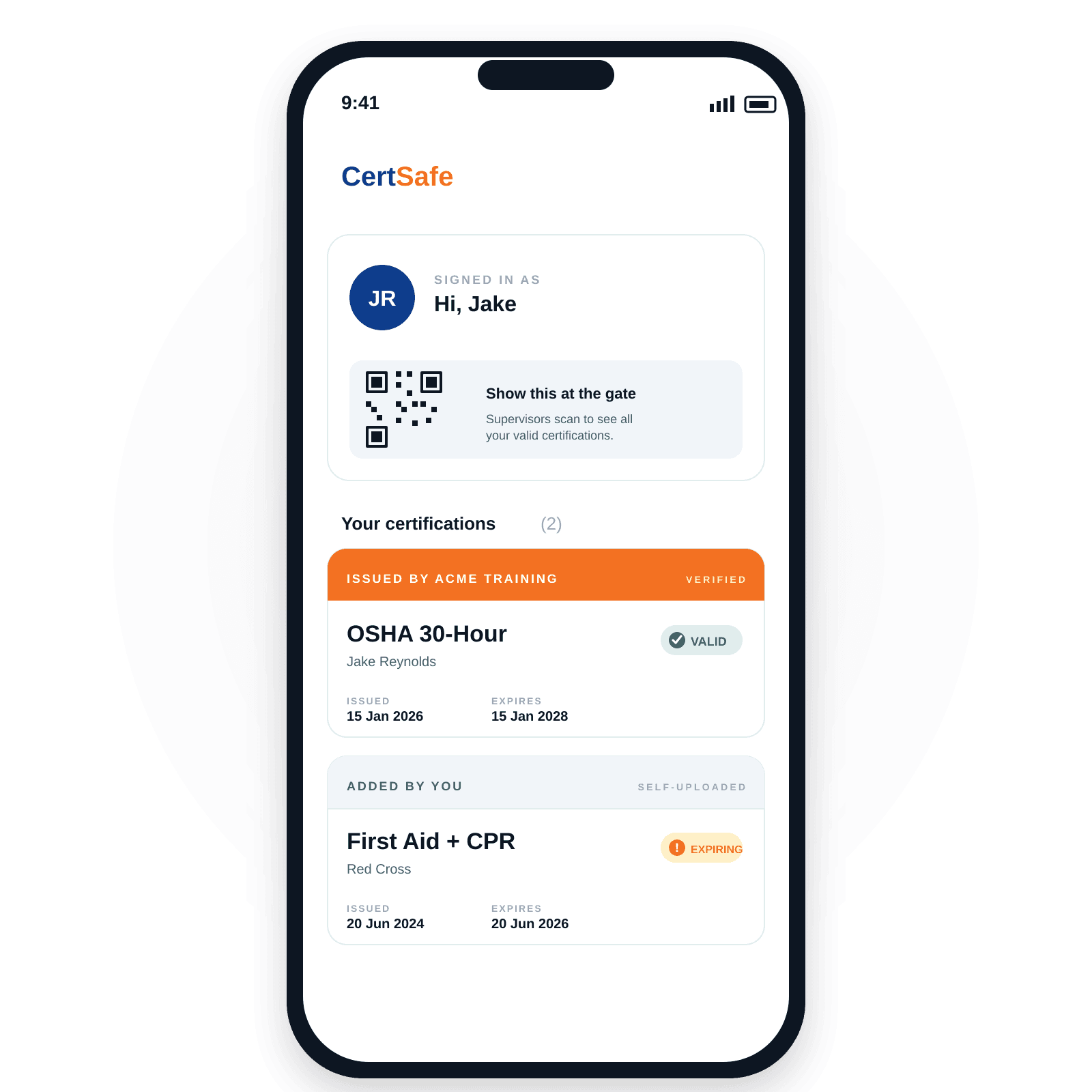
What CertSafe does for you today.
Receive certs from your training company or employer
When an issuer issues you a cert, you get a single-use claim link by email. Click it, sign up (it's free), and the cert is yours — verified, in your profile.
Show your cert at the gate with a QR scan
Open your profile, pick the cert, turn your screen toward the supervisor. They scan it on their own phone — instant, no app install for them, works without signal.
Carry every cert in one place
OSHA 10, OSHA 30, First Aid, CPR, working at heights, confined space, H2S Alive, site orientations from your GC, and every other issuer-issued cert — all in one profile.
How it works, end to end.
You complete training or onboarding
Take the OSHA 30 class. Complete the site orientation. Whatever the issuer offers — they handle that part.
Issuer issues the cert through CertSafe
Within 60 seconds you get a claim email. If you already have a CertSafe account, the cert just shows up in your profile — no email needed.
Claim it (30-day window)
Click the link in the email. Sign up if you haven't already. The cert is now in your profile with the issuer's verified ✅ badge.
Show it whenever a supervisor asks
Open CertSafe, tap the cert, show the QR. Or read out the 8-character cert code. Done in seconds.
A walk through the app.
Same features on the web wallet today. The iOS and Android apps add the camera, push notifications, and offline-first access.
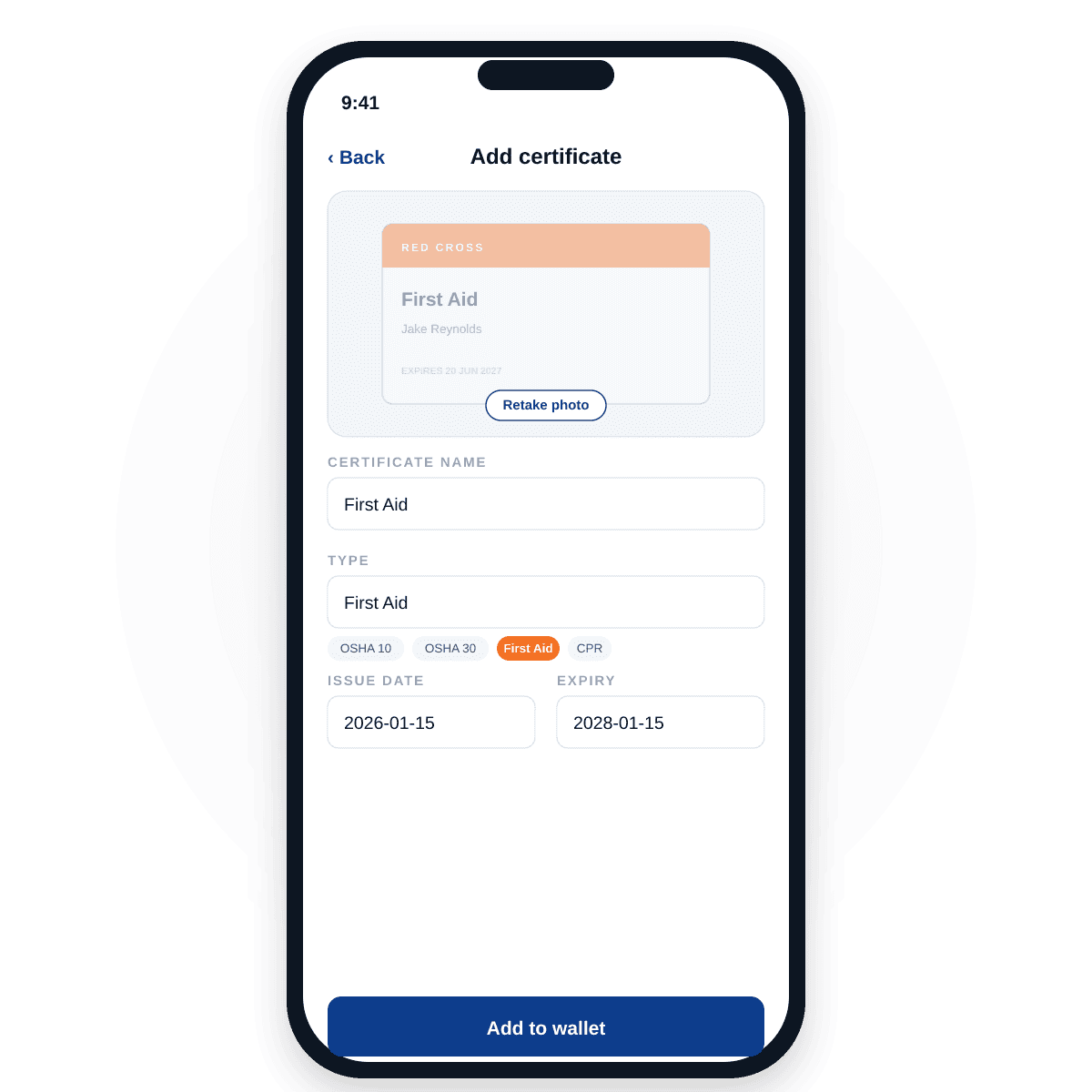
Snap a photo. Fill in the details. Done.
The moment a class ends, the phone is the natural place to capture a cert. Camera, name, type, expiry — saved to your wallet in under a minute. PDFs welcome too from the web wallet.
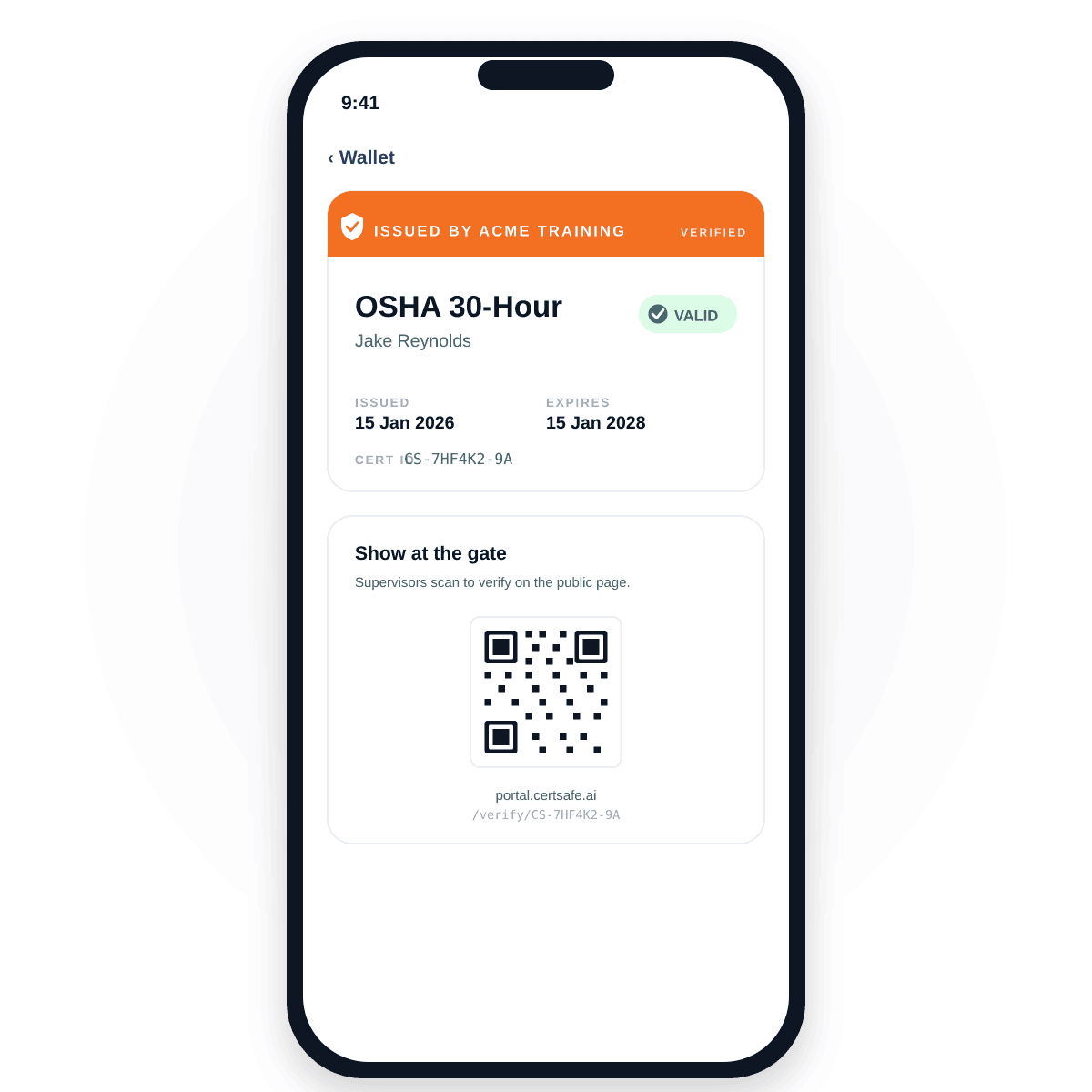
Show one cert at the gate in three taps.
Tap the cert, show the QR. Supervisors scan on their own phone — no app install for them, no signal required. The verified badge tells them this came from the issuer, not a screenshot.
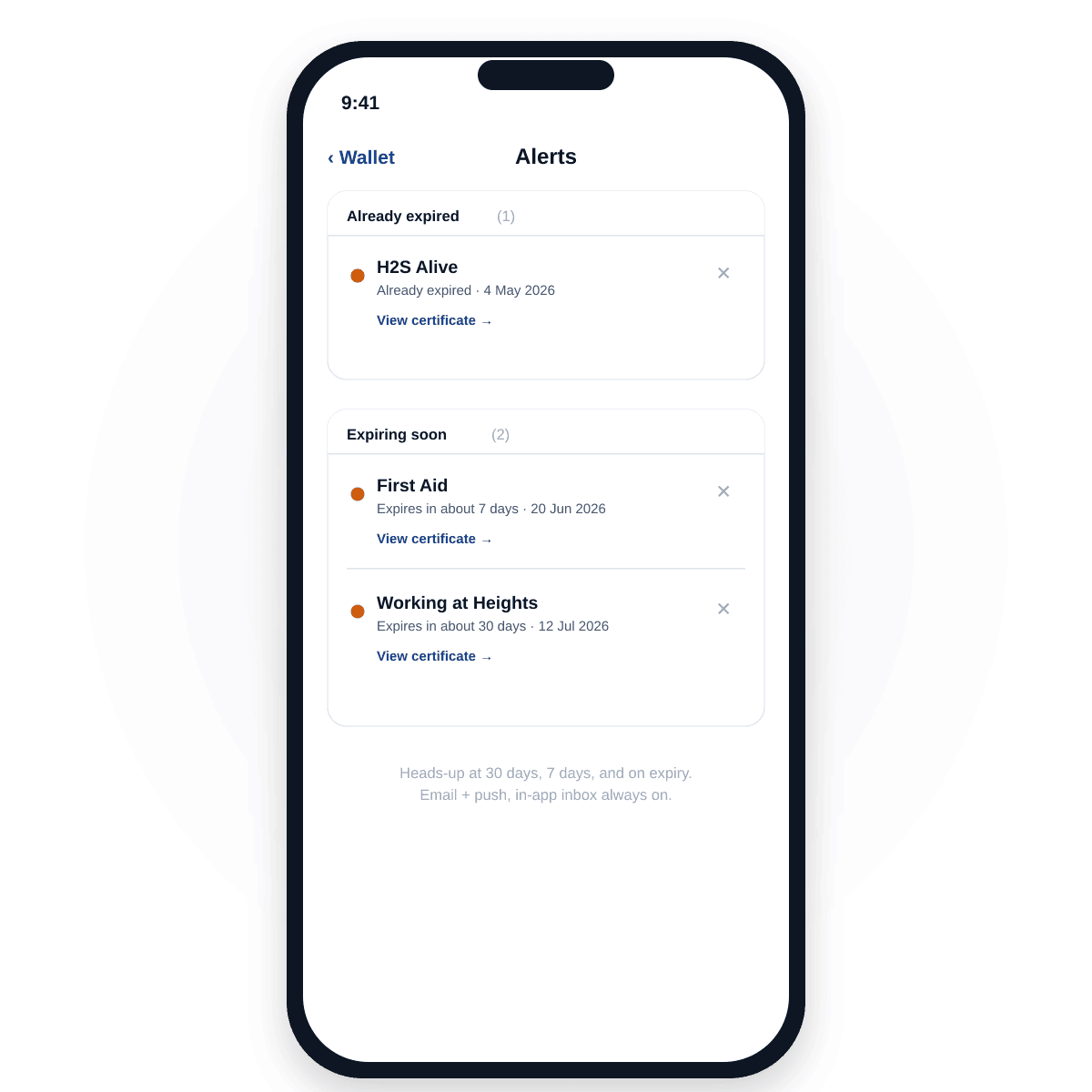
Heads-up before anything expires.
30 days, 7 days, and on the day. Email + mobile push, plus an in-app inbox that always works. Turn email off any time from your profile; we'll keep the in-app alerts coming.
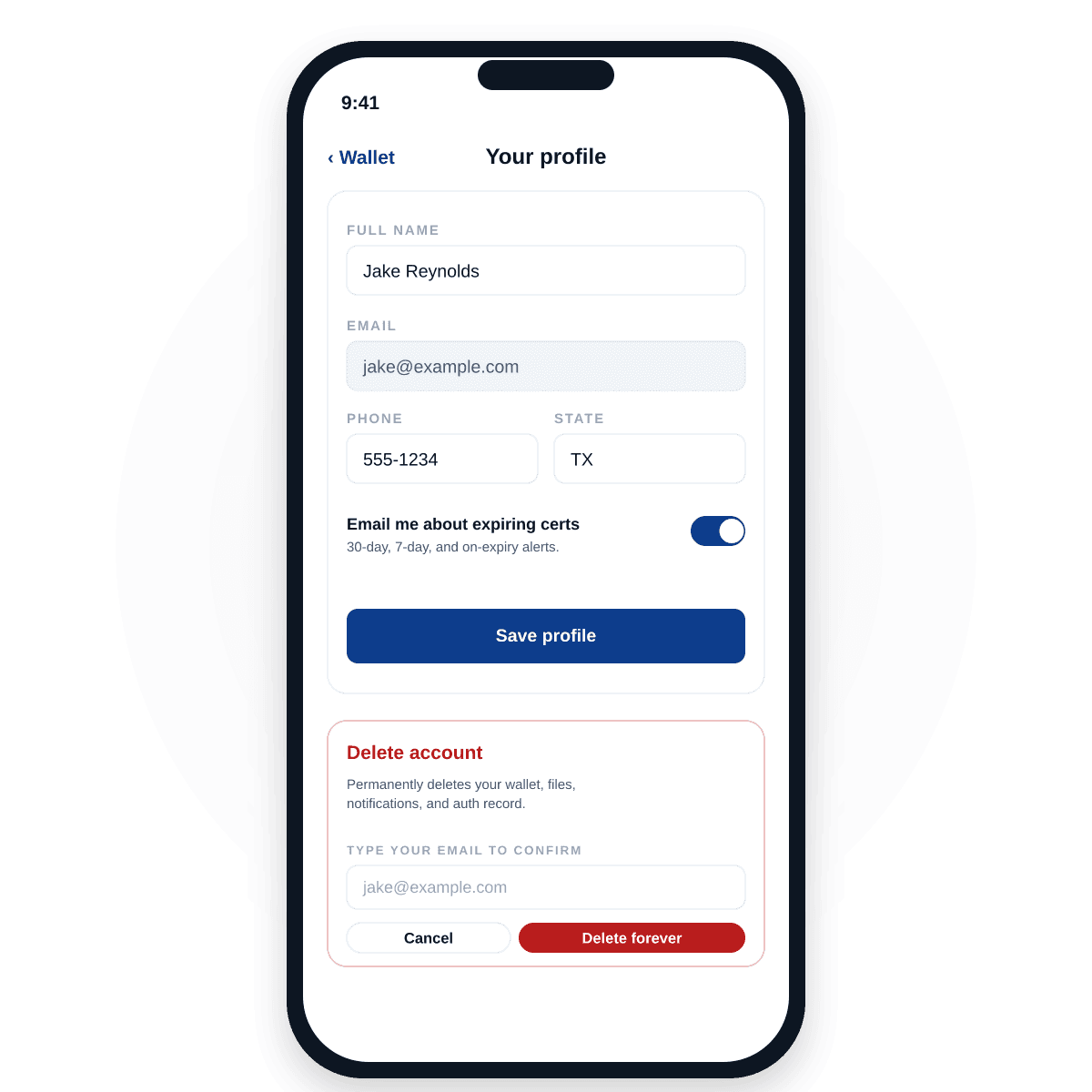
Your data. Your control.
Edit your profile any time. Delete your account in two taps — wipes your wallet, your uploads, your push tokens, and your auth record. Certs issued to you by an issuer stay with the issuer; contact them directly to remove those too.
The full worker wallet — what's shipping next.
Right now CertSafe is rock-solid for receiving and showing certs that an issuer has given you. The full self-managed wallet — where you can also add your own certs, see them all on one home screen with a stacked-card view, get expiry reminders 30 and 7 days out, and share an individual cert via link or QR — is in active development.
We're honest about state of the product: full wallet features are PRD-complete and coming. We won't pretend they're shipped before they are.
- Receive issuer-issued certs into your profile
- Sign up via the claim link from your training company or employer
- Show a verified cert with QR for supervisor verification
- Verified ✅ badge appears on every issuer-issued cert
- Full wallet home screen with stacked card view of all your certs
- Add your own self-uploaded certs (no verified badge — but still in one place)
- Edit cert details, share by link, generate a single QR for your whole profile
- Email + in-app expiry notifications 30 and 7 days before each cert expires
- React Native mobile app with native QR display and biometric unlock
Worker FAQ
Do I have to pay anything?
No. CertSafe is free for workers. The issuer who issued you a cert pays on your behalf. The supervisor who verifies your cert pays nothing either.
What if I don't have a smartphone?
You can ask the issuer to print a paper QR card for you. The same cryptographically signed QR works on paper — supervisors verify it the same way.
Does my cert show in the app right away?
Yes — if you already have a CertSafe account, the cert lands in your profile within 60 seconds of the issuer issuing it. If you don't have an account yet, you'll get a claim email; click it, sign up, and the cert is yours.
How long do I have to claim a cert?
30 days. After that, the claim link expires and you'll need to ask your issuer to resend it. Don't worry — they can resend it any time.
What does the green ✅ verified badge mean?
It means the cert was issued through CertSafe by an approved issuer — not self-uploaded. Supervisors who verify your cert at the gate see who issued it and that CertSafe has verified it's untampered and current.
Can my issuer revoke a cert?
Yes — they can, with a documented reason. If a cert is revoked, it stays in your profile but is clearly marked Revoked. You can't hide it; supervisors see the revocation. Issuers usually only revoke for fraud, error, or expired-by-policy reasons.
What happens if my training company changes its name or is taken over?
Your cert stays valid. The issuer name on the cert is locked at issuance — what was true when the cert was issued remains true on the verification page.
Can I delete a CertSafe-issued cert?
No. Only the issuer can remove certs they issued. You always retain access to view them.
Got a claim email? Click the link.
That's how new workers start with CertSafe. If you don't have a claim email yet, ask your training company or employer whether they issue through CertSafe — and if not, point them at our issuer page.